Software has become part of nearly every aspect of daily life.
You might edit documents on your laptop, check email through a web browser, and respond to messages on your smartphone—all within a few minutes.
Although these activities may seem similar, they often rely on different types of applications.
Some programs are installed directly on your computer.
Others run entirely inside a web browser.
Many are designed specifically for smartphones and tablets.
Each approach offers unique advantages and is intended for different situations.
Understanding these differences helps explain why certain applications work better on particular devices and why software developers sometimes create multiple versions of the same product.
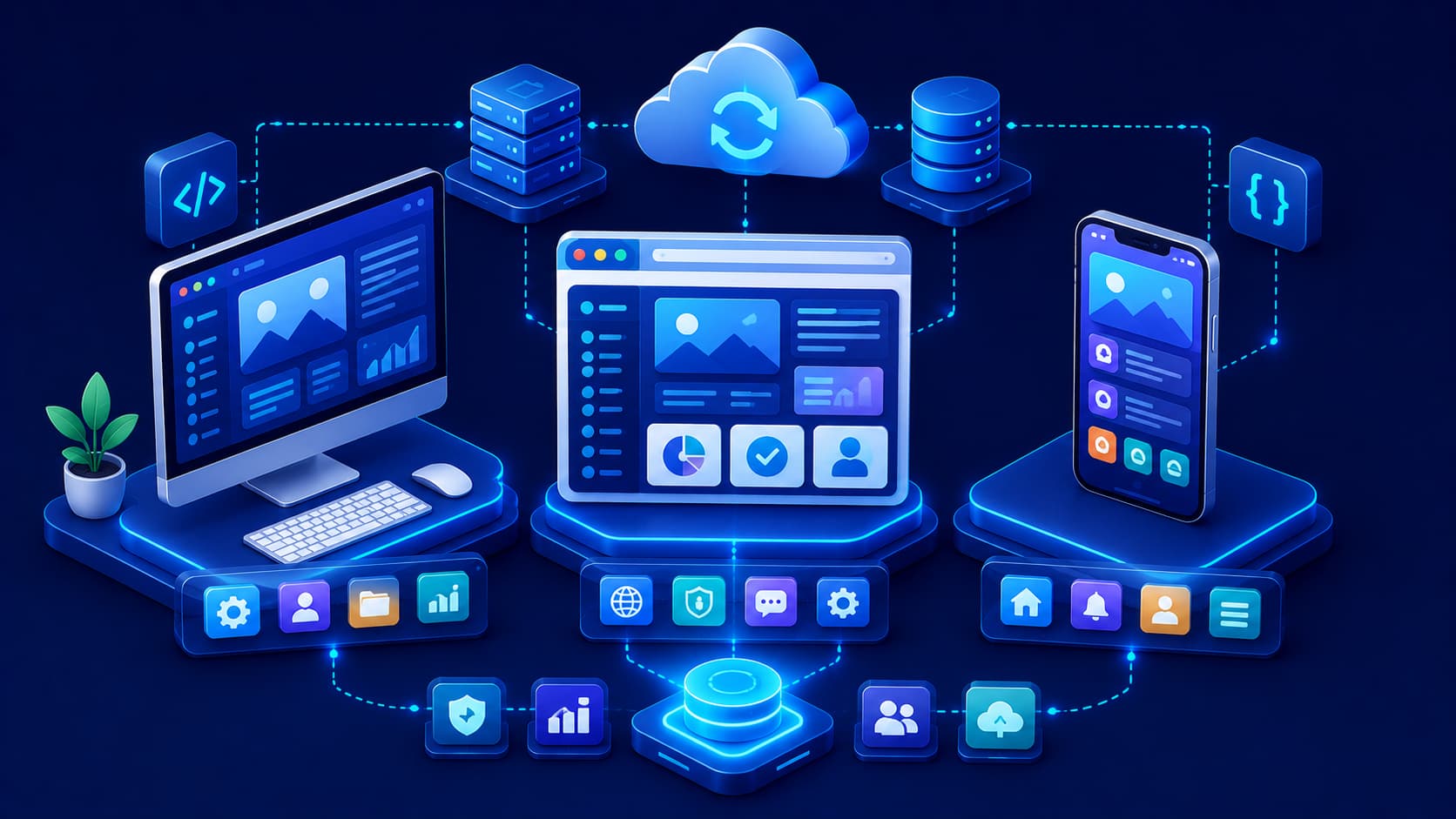
The three most common categories are desktop applications, web applications, and mobile applications.
While they often provide similar functionality, the way they are developed, delivered, and used can be quite different.
What Is a Desktop Application?
A desktop application is software installed directly on a computer.
Once installed, it runs using the computer's operating system and hardware resources.
Desktop applications are commonly used for tasks that require significant computing power, advanced features, or close integration with the operating system.
Examples of common use cases include:
- Professional photo editing.
- Video production.
- Software development.
- Computer-aided design (CAD).
- Scientific computing.
- Office productivity.
Many desktop applications can continue working even without an internet connection, although cloud-based features may still require online access.
What Is a Web Application?
A web application runs inside a web browser instead of being installed like traditional desktop software.
Users access it through the internet using a browser on a computer, tablet, or smartphone.
Most of the application's logic is processed on remote servers or cloud infrastructure, while the browser provides the user interface.
Because web applications are centrally managed, users often receive new features automatically without needing to install updates manually.
This accessibility makes web applications especially useful for collaboration, remote work, and services that need to be available across multiple devices.
What Is a Mobile Application?
A mobile application is software designed specifically for smartphones and tablets.
Unlike desktop applications, mobile apps are optimized for touchscreens, smaller displays, and mobile operating systems.
They often take advantage of device-specific features such as:
- Cameras.
- GPS.
- Microphones.
- Motion sensors.
- Biometric authentication.
- Push notifications.
Mobile applications focus on providing convenient access while users are on the move, making them ideal for communication, navigation, shopping, fitness tracking, and many other everyday activities.
Different Applications, Different Strengths
Although desktop, web, and mobile applications sometimes perform similar tasks, each is optimized for different user experiences.
Desktop applications typically emphasize performance and advanced functionality.
Web applications prioritize accessibility and cross-device availability.
Mobile applications focus on convenience, portability, and seamless integration with mobile hardware.
Rather than competing directly, these application types often complement one another.
Many modern software platforms provide desktop, web, and mobile versions that work together to create a consistent user experience across multiple devices.
Advantages of Desktop Applications
Desktop applications remain popular because they can take full advantage of a computer's hardware resources.
Since they run directly on the operating system, they often deliver excellent performance for demanding tasks.
Some common advantages include:
- High performance for resource-intensive workloads.
- Deep integration with the operating system.
- Access to local hardware such as graphics processors, storage devices, and peripherals.
- Often capable of running without a continuous internet connection.
These strengths make desktop applications well suited for professional software used in engineering, media production, software development, and scientific research.
Advantages of Web Applications
Web applications have become increasingly common because they are easy to access and maintain.
Users typically need only a compatible web browser and an internet connection.
Some key advantages include:
- Accessible from multiple devices.
- No manual installation required in most cases.
- Automatic updates managed by the service provider.
- Easy collaboration through cloud-based services.
- Centralized data storage and synchronization.
These characteristics have made web applications especially valuable for education, remote work, customer services, and collaborative business environments.
Advantages of Mobile Applications
Mobile applications are designed around portability and convenience.
Because they operate on smartphones and tablets, they allow users to stay connected wherever they are.
Common advantages include:
- Optimized for touch-based interaction.
- Integration with mobile hardware features.
- Convenient access while traveling.
- Support for push notifications and real-time alerts.
- Designed for quick, focused interactions.
These qualities make mobile applications ideal for communication, navigation, banking, shopping, health tracking, and many everyday activities.
Can One Application Exist on Multiple Platforms?
Absolutely.
Many modern software products are available as desktop applications, web applications, and mobile applications simultaneously.
Although each version may have a slightly different interface, they often work together through cloud synchronization.
For example, you might begin editing a document on your desktop computer, continue working through a web browser at school or the office, and review the finished document later on your smartphone.
This cross-platform approach provides flexibility while delivering a consistent user experience across different devices.
Choosing the Right Type of Application
There's no single application type that's best for every situation.
The right choice depends on your needs.
Desktop applications are often preferred when:
- Maximum performance is important.
- Advanced features are required.
- Large files are processed regularly.
- Offline work is common.
Web applications are often ideal when:
- Accessibility from multiple devices matters.
- Collaboration is important.
- Automatic updates are preferred.
- Minimal installation is desired.
Mobile applications are often the best choice when:
- Portability is essential.
- Tasks are completed while traveling.
- Device-specific features such as GPS or cameras are needed.
- Quick interactions are more important than complex workflows.
Many organizations combine all three approaches to deliver the best experience for different users and devices.
Common Misconceptions
Web Applications Are Not Just Websites
Although both are accessed through a browser, web applications are designed to perform interactive tasks such as editing documents, managing projects, or processing data.
Traditional websites primarily present information, while web applications allow users to actively work with content.
Mobile Apps Are Not Simply Smaller Desktop Apps
Mobile applications are designed specifically for mobile devices.
They take into account touch controls, battery efficiency, smaller screens, and mobile hardware capabilities.
Simply shrinking a desktop interface rarely creates a good mobile experience.
Desktop Applications Are Not Becoming Obsolete
Cloud services and web applications continue to grow rapidly, but desktop software remains essential for many professional workflows that require high performance, advanced hardware access, or offline capabilities.
Each application type continues to play an important role in modern computing.
Frequently Asked Questions
What's the difference between a desktop app and a web app?
A desktop application is installed directly on a computer, while a web application runs inside a web browser and is typically accessed over the internet.
Do web applications always require an internet connection?
Many do, although some modern web applications can provide limited offline functionality using browser technologies.
Why are mobile apps designed differently?
Mobile devices have smaller screens, touch interfaces, and specialized hardware features such as cameras and GPS, requiring different design approaches.
Can the same software have desktop, web, and mobile versions?
Yes.
Many modern software platforms provide multiple versions so users can access the same service across different devices.
Which type of application is best?
There isn't a universal answer.
The best choice depends on the task, the device being used, performance requirements, and user preferences.
Conclusion
Desktop applications, web applications, and mobile applications all serve important roles in today's software ecosystem.
Desktop applications deliver powerful performance and advanced capabilities, web applications provide accessibility and collaboration across devices, and mobile applications offer convenience wherever users go.
Rather than competing with one another, these application types often work together to create seamless digital experiences.
Understanding their strengths and limitations helps users choose the right software for different situations and gives aspiring developers a clearer picture of how modern applications are designed.
In the next article, we'll explore how software is developed, following the journey from an initial idea through planning, design, coding, testing, deployment, and ongoing maintenance.